How to Return Your Product

An account is necessary to store your customer information. It's easy and it retains your information for future support or sales inquiries. It ensures your product is serviced and returned properly while also allowing you to track progress.

Already have an account? Start here.

Need to create one? Register here.
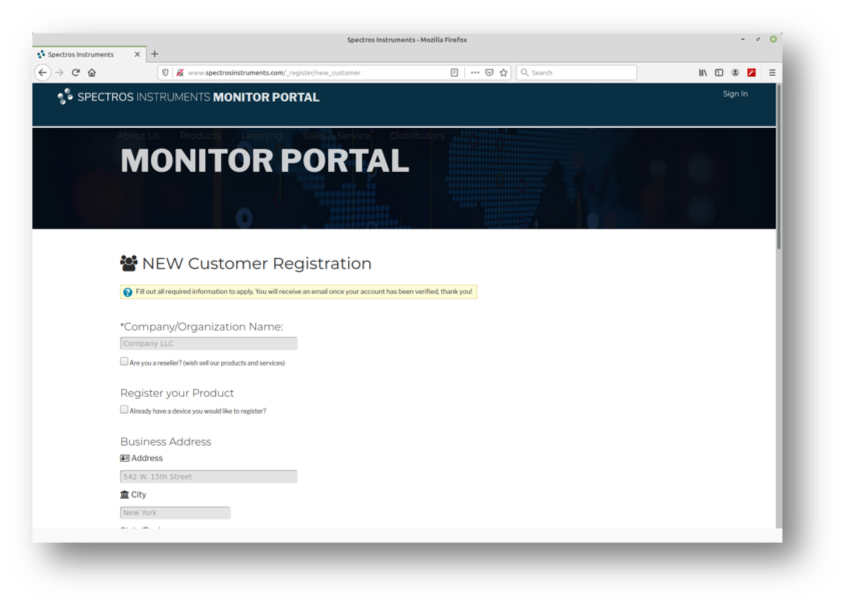
Customer Registration Form

Fill in all fields and press Apply. The confirmation screen should appear.

RMA Process 1

Account Verification

Check the email address you used in the form to find your verification email. Click on the link.

Verification Email
Account verified

Account Sign-in

If necessary, go back to the Sales and Service tab and click on the Request Service button again. Sign in to your account.

Account Sign-in

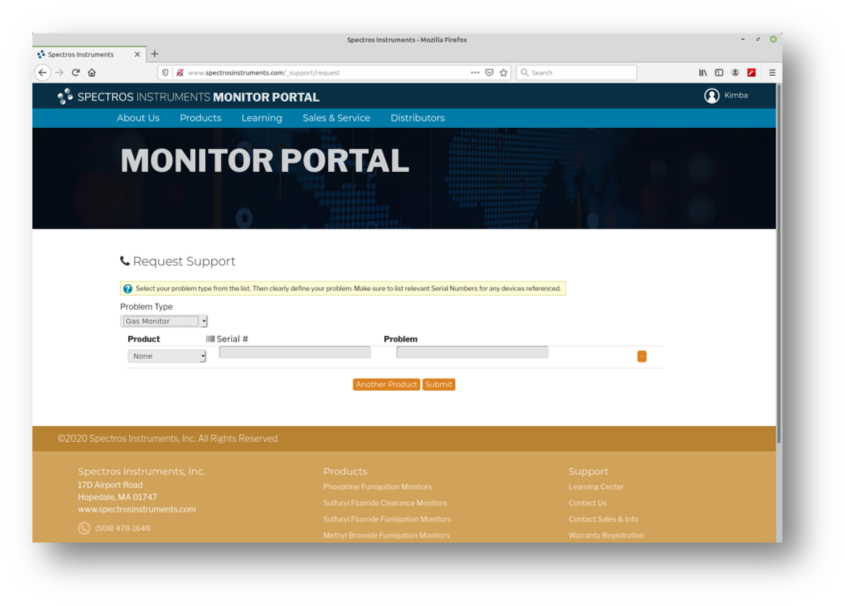
Request Support

Select a problem type. For the purpose of this demonstration, the selection is Gas Monitor. For billing or issues with the Monitor Portal, choose the appropriate issue.

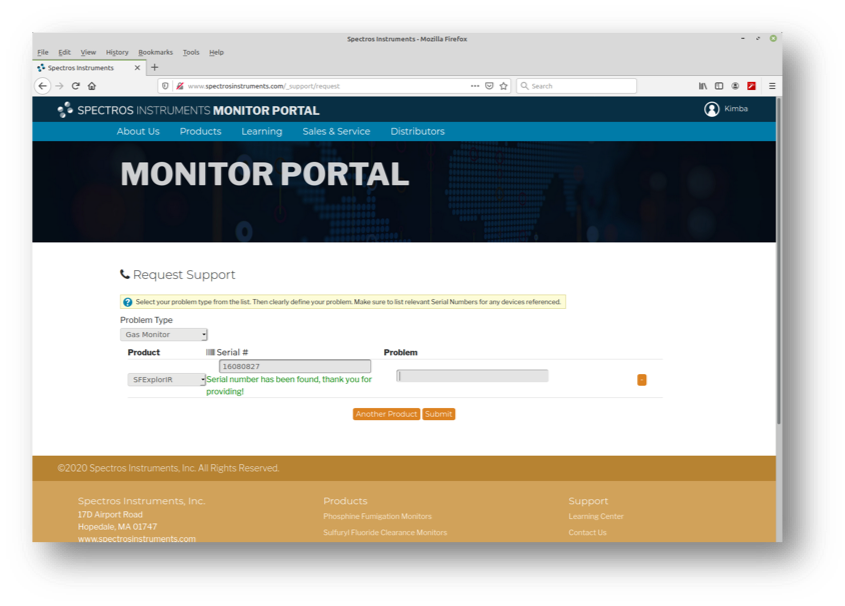
Request Form:

Enter the serial number of your monitor and a brief description for the request. If the serial number returns an error, continue with the RMA request. This error will not affect the RMA process.

Account Sign-in

The on-screen confirmation signals that your ticket has been sent to the Spectros Instruments Support Desk. You will either receive a call or an email containing an RMA form that you can complete and print to be included with your return.

Support ticket confirmed

Click on the link in your email to open your RMA form.

Email confirmation

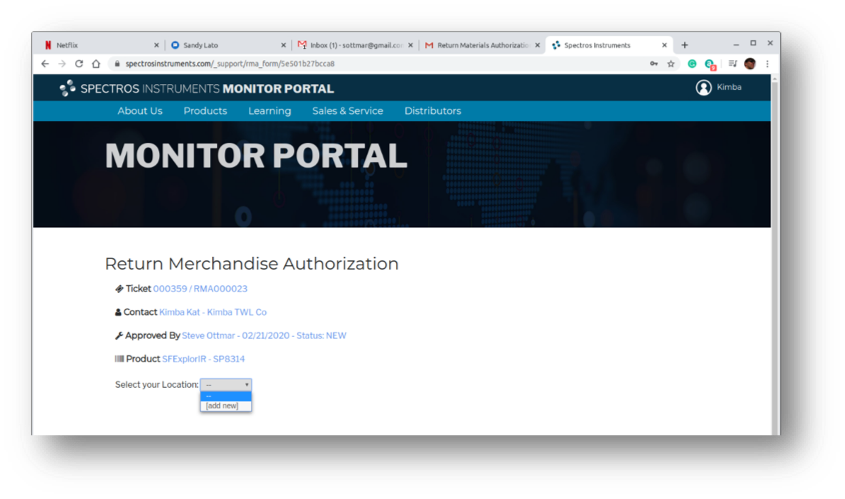
Choose the shipping address you would like your product returned to after it is serviced.

Email confirmation

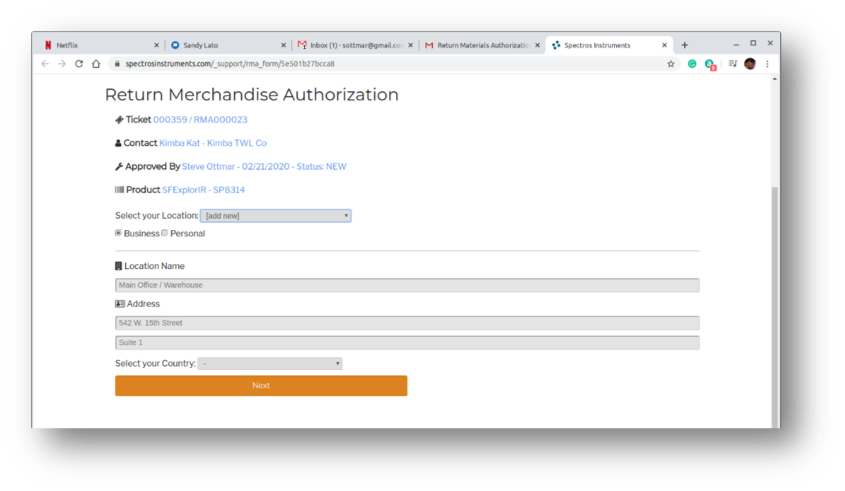
If the correct address is not listed, you can add one.

Email confirmation

Complete the RMA form and press Submit Return.

Email confirmation

Press Download button to save and print your RMA form.

Email confirmation

Print out the RMA form and include with your return.

Printable RMA Form
button returns scroll position to the top of this page